

Download Windows Mail and Calendar – email client, calendar app, email management, inbox organizer, Microsoft Mail
Overview
The Windows Mail and Calendar application is a built-in productivity tool designed to streamline email and scheduling tasks directly within the Windows 10 and Windows 11 operating systems. As a free email client, it enables users to connect and manage multiple email accounts from a single interface, supporting popular services such as Outlook, Gmail, Yahoo Mail, and Exchange. The app serves as a central hub for inbox organization, calendar coordination, and daily task management, making it an essential utility for both personal and professional users.
Designed for individuals and professionals who rely on timely communication and efficient scheduling, Windows Mail and Calendar helps reduce digital clutter by consolidating messages and appointments into one accessible location. Its integration with the Windows ecosystem ensures seamless performance across devices using the same Microsoft account. Real-world use cases include checking work emails on the go, setting meeting reminders, and syncing calendar events across multiple platforms. In the broader app ecosystem, it stands out as a lightweight, native alternative to third-party email clients, offering consistent performance without the need for additional downloads.
Developed by Microsoft Corporation, the app benefits from the company’s long-standing expertise in productivity software. Although the developer did not provide additional technical details about its architecture or development roadmap, its presence as a core system component suggests a focus on reliability, security, and long-term support. The app’s inclusion in the Windows OS highlights its importance in maintaining user productivity and digital workflow continuity.
Key Features & Functionality
- Multi-Account Email Support: Users can link and manage multiple email accounts—Outlook, Gmail, Yahoo Mail, Exchange, and others—within a unified inbox, reducing the need to switch between apps or browser tabs.
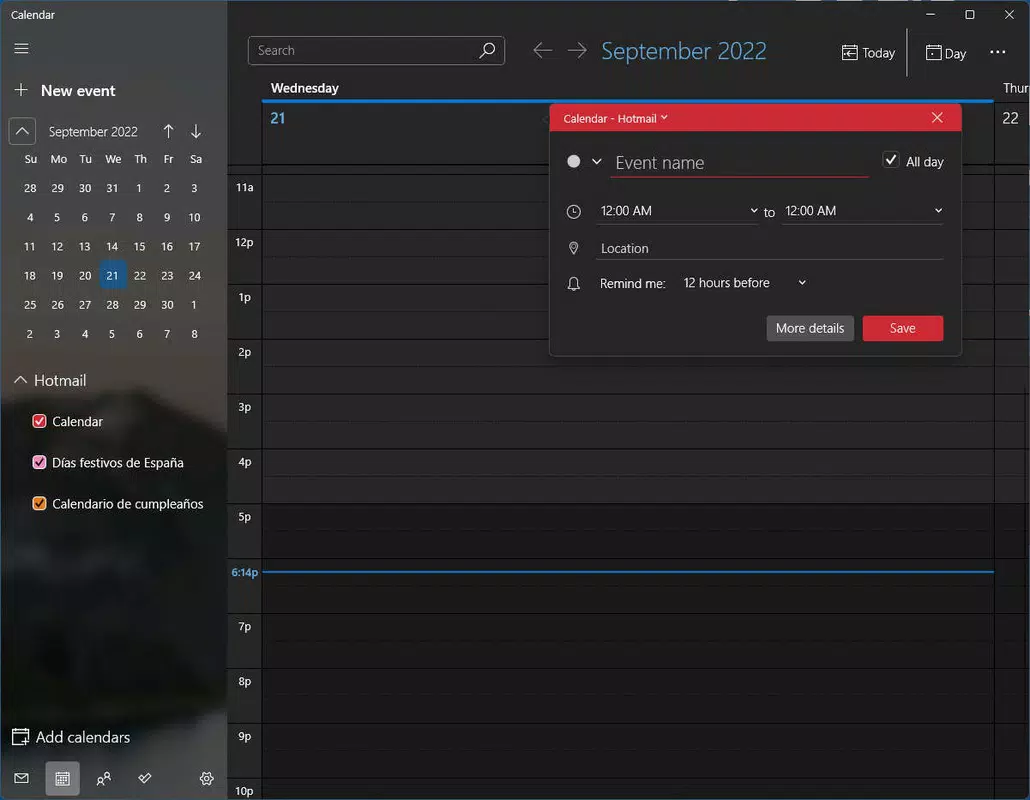
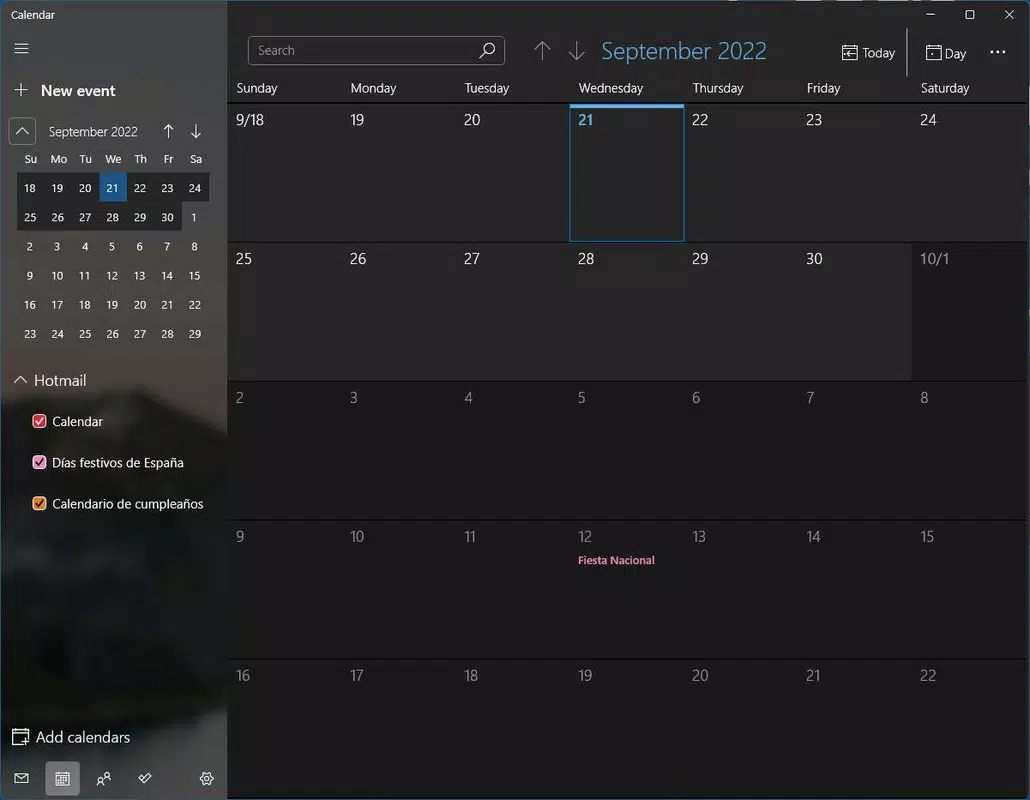
- Integrated Calendar Management: The calendar feature allows users to view, create, and edit events, set reminders, and share schedules with others directly from the app.
- Inbox Organization Tools: Features such as folders, filters, and smart sorting help users prioritize messages, reduce clutter, and quickly locate important emails.
- Real-Time Sync Across Devices: When signed in with a Microsoft account, emails and calendar events sync across Windows devices, ensuring up-to-date access regardless of the device used.
- Quick Actions and Notifications: Users receive timely alerts for new messages and upcoming appointments, with the ability to respond or mark tasks as complete directly from notifications.
For example, a remote worker can use the app to check both their personal Gmail and work Outlook accounts while reviewing their calendar for the day’s meetings. A student can organize class schedules and assignment deadlines in one place, using the calendar to set recurring reminders. The integration of email and calendar functions enhances workflow efficiency, minimizing context switching and improving time management.
Interface, UX & Performance
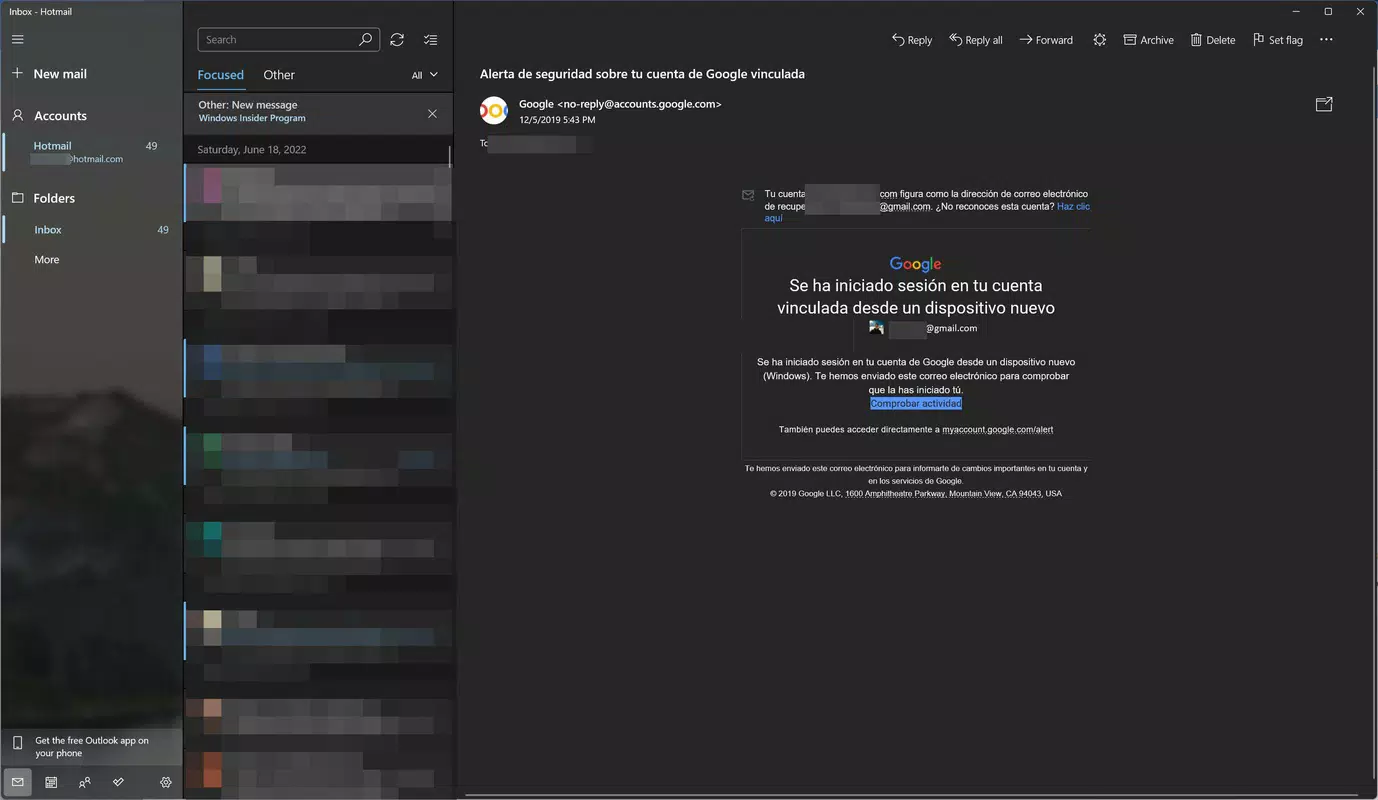
The user interface of Windows Mail and Calendar follows a clean, modern design language consistent with Windows 10 and Windows 11 aesthetics. The layout features a sidebar for navigation between mail, calendar, and settings, with a central pane displaying messages or events. Visual elements are minimal, emphasizing readability and ease of access to core functions.
Navigation is intuitive, with consistent placement of key controls such as compose, search, and settings. The app supports touch, mouse, and keyboard inputs, making it accessible across different device types, including laptops, desktops, and 2-in-1 tablets. Although the developer did not list formal performance metrics, the app operates smoothly on standard Windows hardware, with responsive interactions and minimal lag during typical usage.
Stability is maintained through regular updates via the Microsoft Store, and the app demonstrates reliable behavior under normal workloads. The interface adapts well to varying screen sizes and resolutions, ensuring usability on both small and large displays. While specific performance benchmarks were not disclosed, the app’s lightweight footprint of 40.5 MB suggests efficient resource usage, contributing to its overall responsiveness.
Platform Compatibility & Technical Requirements
Windows Mail and Calendar is available exclusively on the Windows platform, designed to run on Windows 10 and Windows 11 operating systems. The current version is 1.2411.1001.0, with a file size of 40.5 MB. The app is distributed as a native Windows application and is automatically included in the default Windows installation, though users can update it through the Microsoft Store.
The developer did not specify minimum OS requirements or hardware specifications beyond the platform. Compatibility information was not fully disclosed, but given its integration with the core OS, it is expected to function on standard Windows devices with up-to-date system updates. No additional software dependencies were noted, and the app does not require external drivers or runtime environments.
Pros and Cons
Pros
- Free to download and use with no in-app purchases or subscriptions.
- Native integration with Windows 10 and 11 ensures stability and performance.
- Supports multiple email services including Outlook, Gmail, Yahoo Mail, and Exchange.
- Unified inbox and calendar interface improves productivity and reduces app switching.
- Lightweight design with minimal system resource usage.
Cons
- Not available on mobile platforms such as Android or iOS.
- Limited customization options for layout and theme compared to third-party clients.
- Advanced email features like rules and automation are not as robust as in dedicated clients.
- Some users may find the interface less feature-rich than alternatives like Thunderbird or Outlook.
- No offline mode for calendar syncing in all configurations.
FAQ
Is Windows Mail and Calendar safe to use?
Yes, as a built-in Microsoft application, it is developed with security in mind and receives regular updates through the Microsoft Store to address vulnerabilities.
Can I use this app on Android or iOS?
No, Windows Mail and Calendar is designed exclusively for the Windows operating system and is not available on Android or iOS devices.
How do I update the app?
Updates are delivered automatically through the Microsoft Store. Ensure your Store app is up to date to receive the latest version.
Does the app support offline access?
Basic email and calendar access is possible offline, but full sync and real-time updates require an active internet connection.
Can I use this app without a Microsoft account?
Yes, you can use the app with non-Microsoft email accounts, but some features like cross-device sync require a Microsoft account.
Final Thoughts
Windows Mail and Calendar offers a reliable, secure, and efficient solution for managing email and scheduling tasks on Windows 10 and Windows 11. Its seamless integration with the operating system, combined with support for major email providers and a unified interface, makes it an ideal choice for users seeking a no-frills productivity tool. While it may lack some advanced customization and automation features found in third-party clients, its simplicity, performance, and free access provide strong value.
Individuals who rely on daily communication and calendar coordination—especially professionals, students, and remote workers—will benefit most from its streamlined workflow. For those already using Microsoft services, the app enhances ecosystem cohesion and reduces digital fragmentation.
Download Windows Mail and Calendar now to simplify your inbox and schedule with a trusted, built-in utility.


